Pricing tables that make the decision easier#
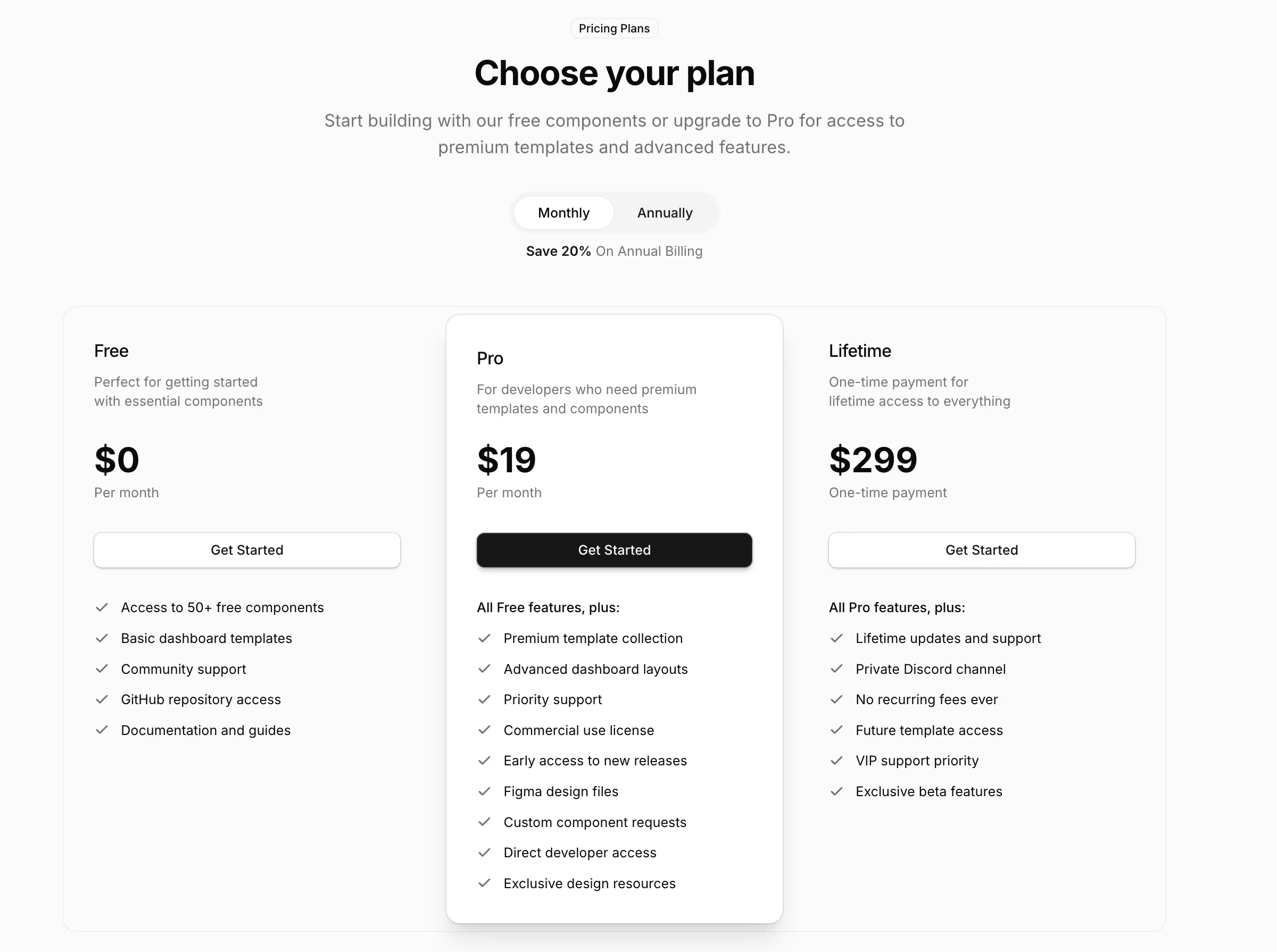
A pricing table is the page where a visitor stops reading and starts deciding. These eight differ in how much they help with that decision: how many plans they hold, whether they show the arithmetic, and whether they say who each plan is wrong for.
The eight pricing sections#
- Pricing Section 1: a three-tier grid with a popular badge and a feature list per plan. Free.
- Pricing Section 2: the same three tiers with a raised middle plan.
- Pricing Section 3: three tiers with a monthly and annual billing switch.
- Pricing Section 4: a feature-led layout for products where the list does more work than the number.
- Pricing Section 5: two tiers, personal against team, with a full feature grid underneath.
- Pricing Section 6: four tiers covering free, personal, team and enterprise.
- Pricing Section 7: a usage-based calculator with live totals and volume tiers.
- Pricing Section 8: scroll-stacked plans that hand over one at a time, each pairing its price panel with who it is for and what it does not do.
How many plans to show#
Three is the standard because it gives a middle option without making the choice a survey. Four works when an enterprise tier genuinely differs rather than being three with a phone number attached. Past four the columns get too narrow to read a feature list, and the detail belongs in a comparison table below the cards instead.
Two is underrated. Pricing Section 5 is personal against team, which is the honest shape for most small products and removes the fake middle tier that exists only to make the expensive one look reasonable.
Monthly and annual billing#
Pricing Section 3 carries the switch. Both intervals live in a typed data file with the switch choosing which renders, so changing a price or adding a currency does not mean editing the layout. Show the annual saving as an amount rather than a percentage where you can, since people can act on twenty pounds and have to do arithmetic on seventeen percent.
Usage-based and metered pricing#
Pricing Section 7 is a calculator with live totals and volume tiers, so somebody can see what their own usage costs instead of reading a table and doing the maths themselves. For a metered product the headline price answers almost nobody, and a calculator is the difference between a page that informs and a page that gets a support ticket.
Saying what a plan is not for#
Pricing Section 8 hands over one plan at a time as the page scrolls, and each panel names both who the plan suits and what it does not do. That is unusual and it is deliberate: for products where the wrong plan causes churn, an honest exclusion up front costs one sale and saves a refund, a support thread and a bad review.
What goes around the pricing table#
An FAQ section directly below is the highest-value neighbour, because the questions a price raises are predictable and answering them on the page beats answering them in a support inbox. Above it, testimonials from customers on the plan being sold, and after it a call to action for anyone who scrolled past without deciding.